
10 Cost-Effective Tools for Building Software on a Budget
Research shows that 66% of startups have problems with how much software development costs. Pretty much every startup deals with this at some point.
You probably have a killer software idea that could be a game-changer. You plan it out, check out the market, and can already see people using your product. But then you hit a wall: custom software is too expensive. Now you're stuck choosing between putting off your launch or finding a smarter way to get it done.
Here's something worth knowing. It doesn’t need to be cheap or high quality - pick both. Using smart methods and solid tools, creating capable software on a tight budget becomes possible. This post answers a real challenge for new companies and builders of tech products. Ten cost-effective options appear here, each examined closely for strengths and weaknesses. The goal? Help match what you're building with what works. One tool at a time makes it clearer.
The Criteria for Selecting Cost-Effective Tools
You must understand that not all tools fit budget-friendly software development when building software on a budget. From the collection of software development tools, the best ones strike a balance between cost and quality. Let’s break down the key criteria that make a tool truly affordable.
Affordability: Every startup’s goal is maximum value at minimum cost. Thus, select the tools that offer quality tech products without compromising functionality.
Scalability: Your software will grow, and so should your tools. A great tool handles increasing workloads without slowing you down.
Usability: If a tool is too complex, it wastes time and money. A good tool must have intuitive navigation and simple learning curves.
Feature Set: The tool must have robust capabilities that align with project goals. It should include essential features without bloating costs.
Community Support: Check whether they have an active open-source development community to ensure tools get regular updates and bug fixes.
Security: Make sure the tool is super secure, so user info doesn't leak.
Top 10 Cost-Effective Tools for Building Software on a Budget
Building software does not require big money. With smart choices, teams spend less while getting work done faster - this means quality apps on tighter budgets. Yet what exactly makes certain tools cheaper for coding tasks? Below are ten options that keep expenses low yet maintain solid speed, safety, and room to grow.
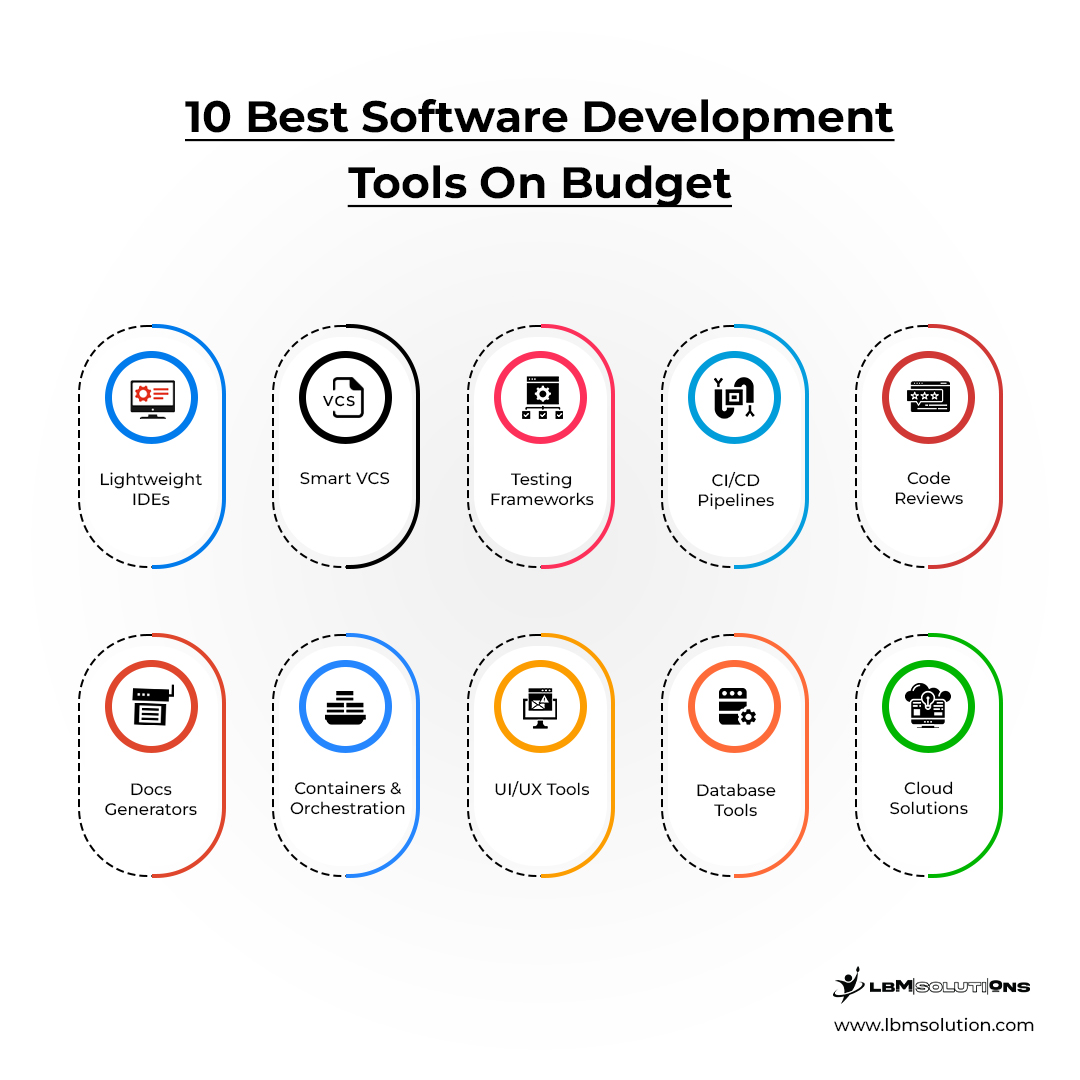
1. Lightweight Integrated Development Environments (IDEs)
A great IDE enhances coding efficiency, but many premium options come with hefty price tags. Fortunately, several free or budget-friendly IDEs offer powerful features, extensive integrations, and smooth development experiences:
VS Code: It's great for debugging, works well with Git, and has extensions for just about any language you can think of.
Atom: Great for coding websites and working together.
Eclipse: Used for Java development.
NetBeans: An open-source IDE, which supports multiple languages.
JetBrains Fleet (Free Tier): An alternative to JetBrains’ paid IDEs with cloud-based collaboration.
2. Smart Version Control Systems (VCS)
Working together on software needs a way to handle code changes - version control makes that possible. Though pricey options exist, they’re not required. Tracking edits, sharing work smoothly, even undoing mistakes - all these happen because of version control. Without it, teamwork gets messy fast.
Git and Mercurial: Track code changes, revert mistakes, and manage multiple contributors
Apache Subversion (SVN): For structured repositories and revision tracking.
Fossil: Self-contained VCS with built-in bug tracking, wiki, and forum functionalities.
3. Open-Source Automated Testing Frameworks
Finding bugs after launch can cost a lot, so catching them early saves time and cash. Automated testing cuts down on manual work, makes the program more trusty, and makes debugging faster.
Selenium helps you test on different browsers and works with any coding language.
JUnit is a tool for testing Java apps.
TestNG lets you run many tests at once and set up how they run.
Cypress is for testing websites and their APIs.
Appium lets you automatically test mobile apps on iPhones and Androids.
4. Cost-Efficient CI/CD Pipelines
Continuous integration and deployment (CI/CD) keep software development fast and reliable, but traditional solutions can be costly.
GitHub Actions: Automate workflows directly within GitHub repositories for testing, building, and deploying.
CircleCI: Cloud-based CI/CD tool with parallel execution, caching, and built-in Docker support.
GitLab CI/CD: Integrated with GitLab, it offers fast builds, testing, and auto-deployment.
Jenkins: Open-source automation server with hundreds of plugins.
Travis CI (Free for Open Source): Automate builds and test open-source projects.
5. Platforms for reviewing code together
Checking code helps make better software. It also lets teams look at, talk about, and make code better together. These platforms help teams work together in an organized way while not spending too much money building software.
Gerrit: Git-based peer code review tool to manage large projects.
Phabricator: Offer built-in code review, bug tracking, and wikis.
Review Board: Web-based tool for peer reviews, inline commenting, and repository integration.
Crucible (Free for Small Teams): For easy integration with Git, Mercurial, and SVN.
6. No-Cost Documentation Generators
Good documentation improves software usability, but manual writing can be expensive and time-consuming. These tools transform comments within the code into searchable documentation and eliminate the need for paid alternatives.
Doxygen: Automate documentation from code comments for multiple languages.
MkDocs: Markdown-based tool to generate static site documentation.
Sphinx: Python-based documentation tool to create searchable and indexed docs.
JSDoc: Extract comments from JavaScript code to automatically generate API documentation.
7. Containerization & Orchestration Solutions
In agile development environments, scalability and resource optimization are key. Containerization reduces infrastructure costs and improves software deployment efficiency.
Docker: Package applications into lightweight, portable containers for easy deployment.
Kubernetes: Manage containerized apps at scale and automate resource allocation.
Podman: Rootless, secure alternative to Docker, ideal for small teams.
Rancher: Simplify Kubernetes management for easier orchestration at no extra cost.
8.Design and prototype interfaces
Creating a smooth user experience matters, yet bringing on expert designers or buying high-end software often means big expenses. Instead, these options offer budget-friendly ways to build clear interfaces - cutting reliance on pricey design programs altogether.
Figma (Free Plan): Cloud-based tool for real-time collaboration, vector editing, and prototyping.
Adobe XD (Free Version): Create interactive prototypes and wireframes.
InVision Freehand: Assist in brainstorming, whiteboarding, and UI mockups.
Penpot: Open-source, Figma-like UI/UX design tool with cross-platform compatibility.
9. Cost-Effective Database Management Tools
Managing databases efficiently is a challenge, but it doesn’t have to be expensive. Startups and enterprises that need scalable, high-performance database solutions without high costs can adopt these platforms.
PostgreSQL: Open-source relational database with advanced security and scalability.
MongoDB Community Edition: NoSQL database for flexible, scalable data storage.
MySQL Community Edition: Relational database with high reliability.
SQLite: Self-contained SQL database for smaller projects.
10. Budget-Friendly Cloud Computing Solutions:
Startups can utilize scalable cloud solutions with free-tier services for affordable software deployment. Many cloud providers offer free tiers of enterprise cloud services to reduce infrastructure costs while providing flexible, scalable computing power.
AWS Free Tier: Offer computing, storage, and AI services for new users.
Google Cloud Free Program: Provide free compute, storage, and database solutions.
Microsoft Azure Free Tier: Offer 12 months of cloud services at no cost.
IBM Cloud Free Tier: Include free AI, blockchain, and storage services.
With the right low-cost software development tools and techniques, startups can minimize costs while maximizing efficiency. Choosing the right mix of free and budget-friendly tools allows businesses to focus on innovation and quality without breaking the bank.
Why Low-cost Software Development Tools and Techniques Matter
Using real-time software tools can really boost how well you work, keep costs down, and make creating software faster. If you're a startup, picking the right ways to get projects done quicker is a must. Luckily, there are software development tools that are easy on the wallet, letting smaller businesses play in the same ballpark as the big guys. Here's why having these budget-friendly tools is a game changer:
Cost Efficiency :
These tools reduce expenses without lowering quality. Businesses can avoid high licensing fees and costly upgrades to build software without financial strain.
Faster Deployment :
Quick implementation allows businesses to launch products on time. Automated development techniques offer simple interfaces, complete tasks on time, and prevent bottlenecks.
Scalability Support :
Growing businesses need flexible tools. Thus, efficient automated tools help startups prevent slowdowns and enhance performance while adding more users and features.
Team Productivity :
Developers can use these tools to complete tasks faster with fewer errors and get real-time updates. Simplified processes boost motivation and allow teams to focus on innovation.
Competitive Edge :
Smart investments in the right tools create better software without overspending. High-quality tools allow startups to deliver professional results.
Long-Term Savings :
Smart budgeting helps you grow steadily and stay financially stable for the future. These tools stop you from stressing about money because you don't have to keep buying costly new stuff.
Smart Budgeting Tools Aren't Always Easy
Software tools can be great, but they do have limits that can mess with how well things run, keep things safe, and grow as needed. Knowing what these problems are can help companies pick the right tools without spending too much.
Limited Features :
Free tools often exclude essential features that cause inefficiencies, slow project completion, and increase dependency on external solutions.
Integration Difficulties :
Many tools lack compatibility, resulting in workflow disruptions and forcing developers to spend extra time on manual tasks.
Performance Constraints :
Some affordable tools consume excessive system resources, reduce processing speed, and affect productivity.
Scalability Issues :
These tools cannot scale effectively, cause performance issues, and struggle to meet growing user and business demands.
Security Risks :
Weak security in these tools increases cyber threats due to missing encryption, outdated patches, and compliance issues.
Conclusion:
In conclusion, the correct tools can really help startups create good software without spending too much. Businesses can use the tools I mentioned to save cash, work better, and get things done sooner. These tools are typically secure, can scale, and are efficient without cutting corners. Still, every business should pick the tools that suit their needs to make sure their software development goes smoothly. The correct tools meet the project’s needs, can handle future growth, and play nice with other tech. Inexpensive choices make things easier, but choosing carefully guarantees real success in the long run and helps build sound, dependable software that competes well. If you need pro help, working with a software company ensures that things are done right and are of good quality throughout the process.
Planning this work? Start with the crm buyer's guide.
As Chief Technology Officer at LBM Solutions, Manjit Parmar oversees technical strategy, infrastructure, and product development. His expertise in Blockchain and AI enables the creation of secure, data-driven, and scalable systems aligned with business growth and innovation.
Keep reading
SaaS vs AaaS: A Complete Breakdown of Both Models in 2026
Learn the difference between SaaS and AaaS, how AI agents work, and why businesses are shifting toward autonomous software systems.
The Real Guide to AI Real Estate App Development (2026)
Plan your AI real estate app in 2026, features, cost, tech stack & tips to find the right AI real estate app development company.
How Stablecoins Are Replacing Traditional Bank Accounts in 2026
Learn about How Stablecoins Are Replacing Traditional Bank Accounts in 2026. This comprehensive guide covers everything you need to know for beginners.
Build it with engineers.
Product engineering for fintech and SaaS, inside your stack and your repo.